imguinz
- ImGuinz
- Zig fetch
- Try Wasm demo in your browser
- Prerequisites
- Build and run
- Available libraries list at this moment
- Examples screenshots
- ImGui-Toggle / CImGui-Toggle
- ImGui-Knobs / CImGui-Knobs
- ImSpinner / CImSpinner
- Raylib example
- Raylib + ImGui + rlImGui
- ImPlot3D / CImPlot3D
- ImGuiFileDialog / CImGuiFileDialog
- ImGuiColorTextEdit / cimCTE
- ImNodes / CImNodes
- ImGuizmo / CImGuizmo
- imgui_markdown / cimgui_markdown
- Image load
- Showing CJK multi byte fonts and input UTF-8 text
- Icon font viewer
- Image load / save
- ImPlot
- imgui_zoomable_image
- glfw_webgl_wasm
- glfw_wgpu_wasm
- ImPlot Demo written in Zig lang.
- Show / Hide console window
- SDL libraries
ImGuinz
This project aims to simply and easily build Dear ImGui (CImGui) / ImPlot (CImPlot), Raylib, rlImGui and many other libaries and examples with less external dependencies in Zig.
- ImGui / CImGui version 1.92.9b dock (2026/08)
- OS: Windows11 and Linux
-
Frontends and Backends
Frontends Backends GLFW3 OpenGL3 / WASM(WebGL / WebGPU) SDL3 OpenGL3, SDL3GPU Win32 DirectX 11(D3D11) - Features
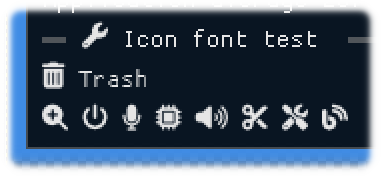
- Included Font Awesome Icon fonts.
- Included GLFW 3.4.0 static library (for Windows)
- Included SDL3.4.xx libraries (for Windows)
- Included STB libraries (only stb_image) for Load / Save images
- Available ImPlot (CImPlot) / ImPlot3D with
ImDrawIdx="unsigned int" - Enabled Input method (IME) flag for CJK fotns with
IMGUI_ENABLE_WIN32_DEFAULT_IME_FUNCTIONS
- Included Font Awesome Icon fonts.
Zig fetch
Use zig-0.16.0 or later
-
Zig fetch
imguinzmkdir myapp cd myapp zig init zig fetch --save git+https://github.com/dinau/imguinz -
Add dependencies to
build.zig
Please insert the following lines aboveb.installArtifact(exe);.const imguinz = b.dependency("imguinz", .{}); const dependencies = .{ "appimgui", // Simple app framework "imspinner", // ImSpinner "imknobs", // ImKnobs "imtoggle", // ImToggle // "another_lib", }; inline for (dependencies) |dep_name| { const dep = imguinz.builder.dependency(dep_name, .{ .target = target, .optimize = optimize, }); exe.root_module.addImport(dep_name, dep.module(dep_name)); } //exe.subsystem = if (builtin.zig_version.minor >= 17) .windows else .windows;You can set
dependencies(additional libraries), see imguinz/build.zig.zon"appimgui" <- Simple app framework for GLFW and OpenGL backend "imspinner" <- ImSpinner "imguizmo" <- ImGuizmo "imknobs" <- ImKnobs "imnodes" <- ImNodes "implot" <- ImPlot "implot3d" <- ImPlot3D "imtoggle" <- ImToggle "rlimgui" <- rlImgui ... snip ... -
Edit src/main.zig
const app = @import("appimgui"); const ig = app.ig; const spinner = @import("imspinner"); const knobs = @import("imknobs"); const tgl = @import("imtoggle"); // ImToggle // gui_main() pub fn gui_main(window: *app.Window) void { var col: f32 = 1.0; var fspd: bool = false; var speed: f32 = 2.0; var spn_col: spinner.ImColor = .{ .Value = .{ .x = col, .y = 1.0, .z = 1.0, .w = 1.0 } }; while (!window.shouldClose()) { // main loop window.pollEvents(); window.frame(); // Start ImGui frame ig.igShowDemoWindow(null); // Show demo window // ig.igSetNextWindowSize(.{ .x = 0.0, .y = 0.0 }, 0); // Fit window size depending on the size of the widgets _ = ig.igBegin("imguinz", null, 0); // Show Spinner window spinner.SpinnerAtomEx("atom", 16, 2, spn_col, speed, 3); ig.igSameLine(0.0, -1.0); _ = tgl.Toggle("Speed", &fspd, .{ .x = 0.0, .y = 0.0 }); if (fspd) speed = 6.0 else speed = 2.0; if (knobs.IgKnobFloat("Color", &col, -1.0, 1.0, 0.1, "%.1f", knobs.IgKnobVariant_Stepped, 0, 0, 10, -1, -1)) { spn_col.Value.x = col; } ig.igEnd(); window.render(); // render } // end while loop } pub fn main() !void { var window = try app.Window.createImGui(1024, 900, "ImGui window in Zig", .{}); defer window.destroyImGui(); _ = app.setTheme(.dark); // Theme: dark, classic, light, microsoft gui_main(&window); // GUI main proc } -
Build and run
pwd
myapp

zig build run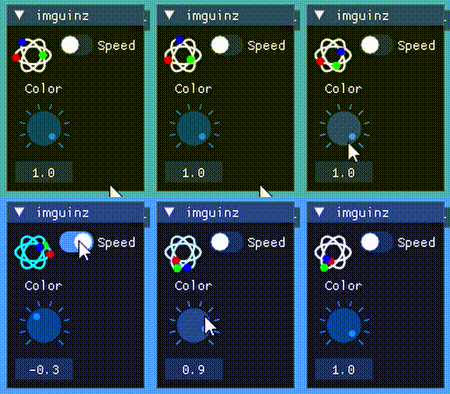
Try Wasm demo in your browser
Click link for live demo: Click here

See glfw_webgl_wasm / glfw_wgpu_wasm example
Prerequisites
- Zig compiler version confirmed
- zig-0.16.0
Windows: zig-x86_64-windows-0.16.0.zip
Linux: zig-x86_64-linux-0.16.0.tar.xz - zig-0.17.0-dev.1767 1 (2026/08/14)
- zig-0.16.0
- Windows11
-
MSys2/MinGW basic commands (make, rm, cp, strip …)
pacman -S make
-
-
Linux OS (Ubuntu / Debian families)
sudo apt install lib{opengl-dev,gl1-mesa-dev,glfw3,glfw3-dev,xcursor-dev,xinerama-dev,xi-dev} git make
Build and run
   git clone https://github.com/dinau/imguinz
   cd imguinz/examples/glfw_opengl3              # cd one of examples
   make run                                      # or  zig build --release=fast run
Available libraries list at this moment
Library name / C lang. wrapper
- ImGui / CImGui (2024/11)
- ImPlot / CImPlot (2025)
- ImPlot3d / CImPlot3d (2025/07)
- ImNodes / CImNodes (2025/06)
- ImGuizmo / CImGuizmo (2025/07)
- ImGui-Knobs / CImGui-Knobs (2025/05)
- ImGuiFileDialog / CImGuiFileDialog (2025/07)
- ImGui_Toggle / CimGui_Toggle (2025/05)
- ImSpinner / CImSpinner (2025/05)
- ImGuiColorTextEdit / cimCTE (2025/07)
- imgui_zoomable_image / cimgui_zoomable_image (2026/04)
- https://github.com/nothings/stb
- https://github.com/FortAwesome/Font-Awesome
- ImGui_Markdown (2025/09) WIP
Additional examples
Examples screenshots
ImGui-Toggle / CImGui-Toggle

ImGui-Knobs / CImGui-Knobs

ImSpinner / CImSpinner

Raylib example
First fetch raylib,
zig fetch --save git+https://github.com/raysan5/raylib
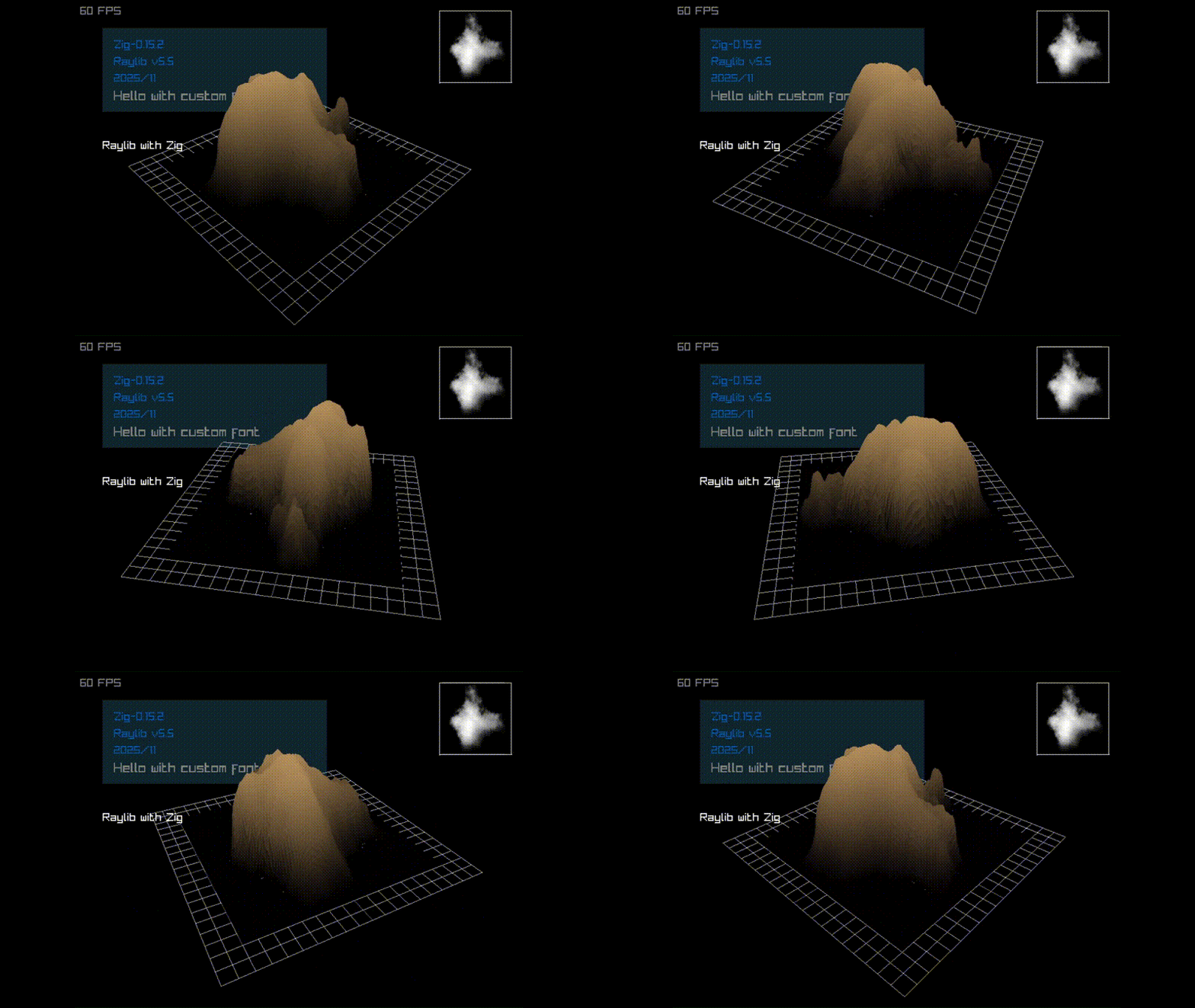
raylib_cjk: Showing multi byte(CJK) fonts
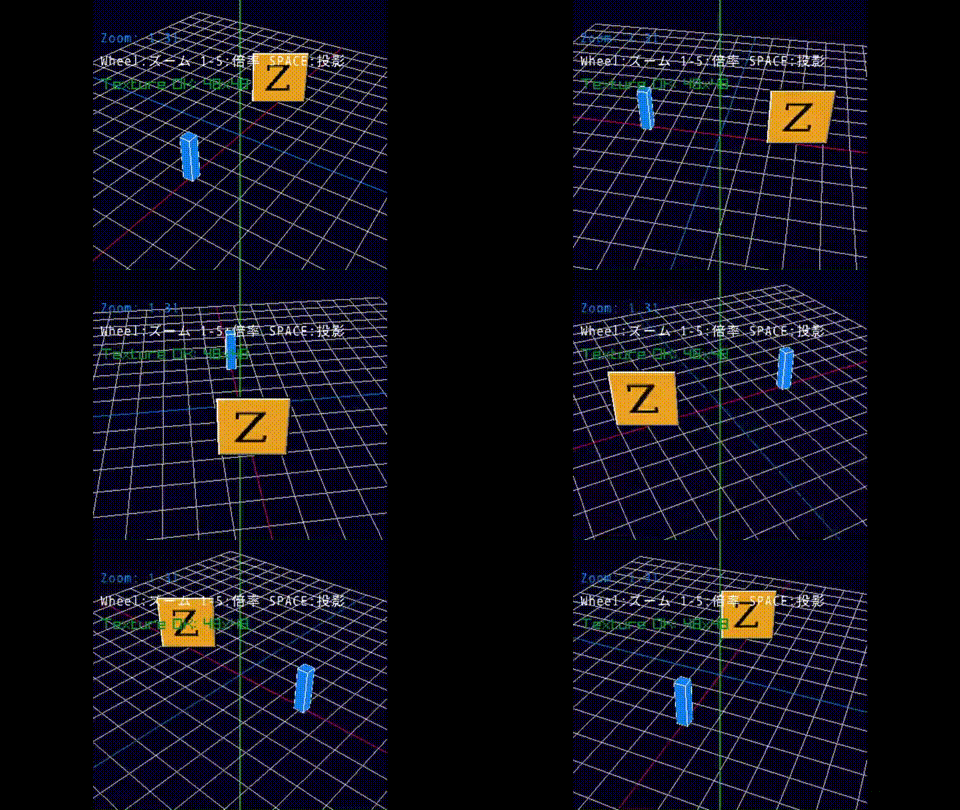
Raylib + ImGui + rlImGui
First fetch raylib,
zig fetch --save git+https://github.com/raysan5/raylib

ImPlot3D / CImPlot3D

ImGuiFileDialog / CImGuiFileDialog
ImGuiFileDialog / CImGuiFileDialog

ImGuiColorTextEdit / cimCTE

ImNodes / CImNodes

ImGuizmo / CImGuizmo

imgui_markdown / cimgui_markdown
WIP
imgui_markdown / cImgui_markdown

Image load
Image load and magnifying glass
glfw_opengl3: main.zig / sdl3_opengl3: main.zig / sdl3_sdlgpu3: main.zig

Showing CJK multi byte fonts and input UTF-8 text

Icon font viewer
main.zig, magnifying glass, incremental search

Image load / save
Image load / save and magnifying glass.
Image file captured would be saved in .the folder ./zig-out/bin.
Image can be saved as JPEG / PNG / BMP / TGA file.

ImPlot

imgui_zoomable_image
Try Wasm live demo in your browser
Click link for live demo: Click here

glfw_webgl_wasm
- Install emscripten
-
Specify emsdk 6.0.62
emsdk install  6.0.6
emsdk activate 6.0.6
for WebGL
embuilder build contrib.glfw3 # Rerun after emsdk updated
-
- Go to
examples/glfw_webgl_wasmfolder - Run
emsdk_env.bat(Windows) oremsdk_env.sh(Linux) in your console[!IMPORTANT]
emsdk_env.bat # Run this once in every new console -
Build WebGL/Wsam example
make runSee ./Makefile
- Open your brwoser at http://localhost:8000 and click web folder
-
You can build native application too
make app
glfw_wgpu_wasm
WebGPU wasm example
Basically same as WebGL example
for WebGPU
embuilder build emdawnwebgpu # Rerun after emsdk updated
emsdk_env.bat # Run this once in every new console
make run
This example can’t build native applicaton.
ImPlot Demo written in Zig lang.
Now work in progress.
Build and run
pwd
examples/imPlotDemo
make run   # or zig build --release=fast run
ImPlot demo source in Zig lang.
Plots Tab
LinePlots (Dynamic)

BarGroups

BarStacks

PieCharts

Heatmaps

Histogram2D

Images

Axes Tab / LogScale

Subplots Tab / Tables

Tools Tab / DragRects

Show / Hide console window
Open build.zig in each example folder and
Hide console window: Default,
Show console window: Comment out this line as follows,
  ... snip ...
  //exe.subsystem = .Windows;  // Hide console window
  ... snip ...
and rebuild example.
SDL libraries
https://github.com/libsdl-org/SDL/releases
Similar project ImGui / CImGui
| Language | Project | |
|---|---|---|
| Lua | Script | LuaJITImGui |
| NeLua | Compiler | NeLuaImGui / NeLuaImGui2 |
| Nim | Compiler | ImGuin, Nimgl_test, Nim_implot |
| Python | Script | DearPyGui for 32bit WindowsOS Binary |
| Ruby | Script | igRuby_Examples |
| Zig, C lang. | Compiler | Dear_Bindings_Build |
| Zig | Compiler | ImGuinZ |
SDL game tutorial Platfromer

| Language | SDL | Project | |
|---|---|---|---|
| LuaJIT | Script | SDL2 | LuaJIT-Platformer |
| Nelua | Compiler | SDL2 | NeLua-Platformer |
| Nim | Compiler | SDL3 / SDL2 | Nim-Platformer-sdl2/ Nim-Platformer-sdl3 |
| Ruby | Script | SDL3 | Ruby-Platformer |
| Zig | Compiler | SDL2 | Zig-Platformer |
Notes:
- Using ImPlot3D / ImPlot with Zig
- Zig + ImGui + ImPlot3D / ImPlot demo
- Build with ImPlot3D / ImPlot / Raylib / rlImGui
- ImPlot3D integration example
- This project builds and runs Dear ImGui + ImPlot3D / ImPlot / Raylib / rlImGui using Zig.
- ImPlot3D is compiled from source (implot3d.h / implot3d.cpp)
- ImPlot is compiled from source (implot.h / implot.cpp)
Developer_mode: Windows11
[Settings] - [Privacy & Security] - [For developers] - [Developer Mode]: [ON]